The screen icon at the top of the screen opens the TV screen: a simple full-screen view designed for a screen or TV at the workplace.
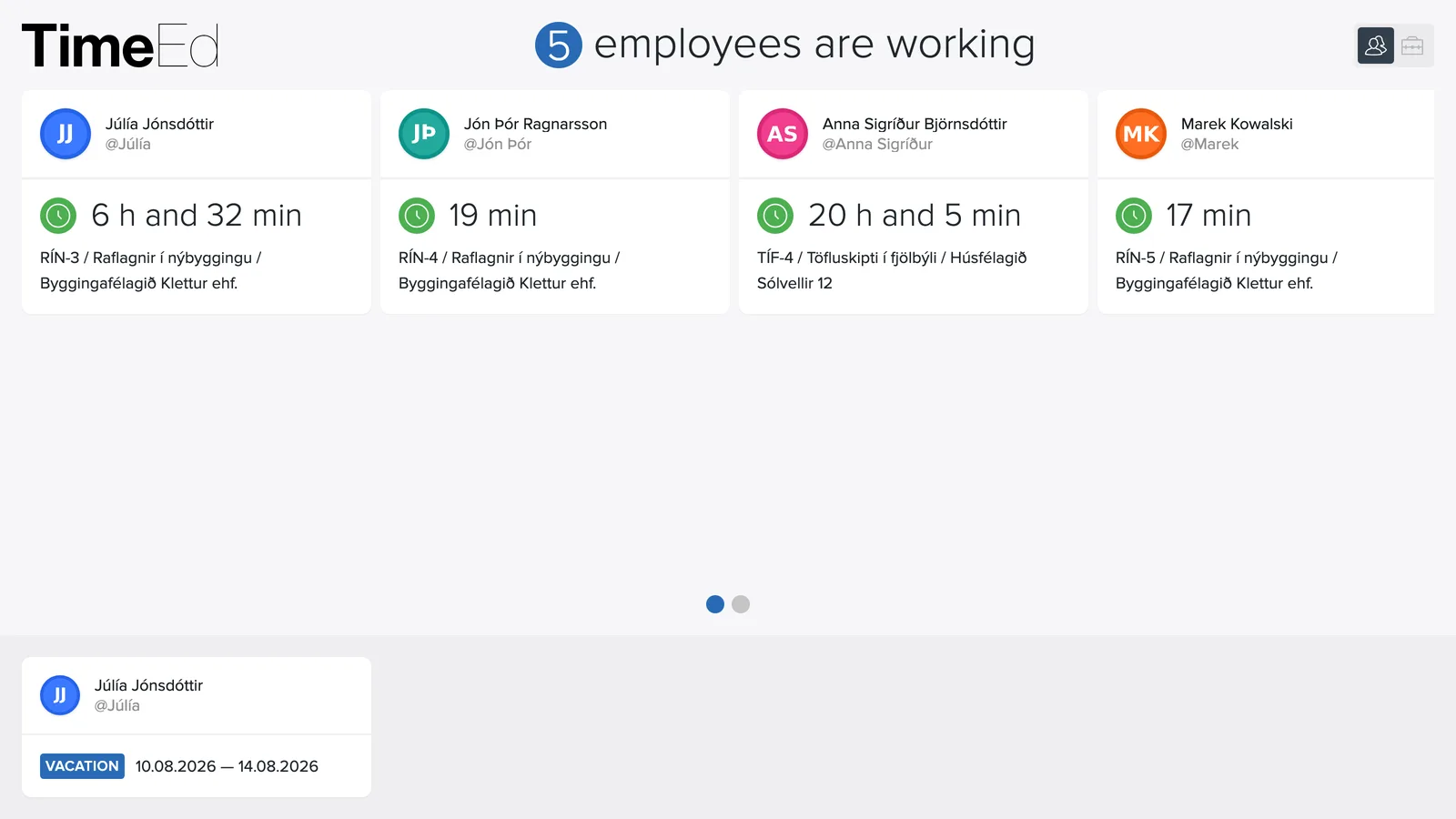
What does it show?
At the top it shows how many employees are working right now, and below that the status of each person: who is clocked in, on which task, and who is not at work. The screen updates in real time as employees clock in and out. At the bottom of the screen you also see who is absent, for example on vacation or home sick, so the status of the whole team is in one place.
The three views
The icons in the top right switch between three views, e.g. by employee or by project, so you can pick the overview that suits the wall.
Setting it up
Open TimeEd in a browser on the computer connected to the screen, sign in and click the screen icon. A good tip is to use the browser's full-screen mode (F11) so only the overview is visible.