Under Settings → Invoices you set up the foundation for all invoicing.
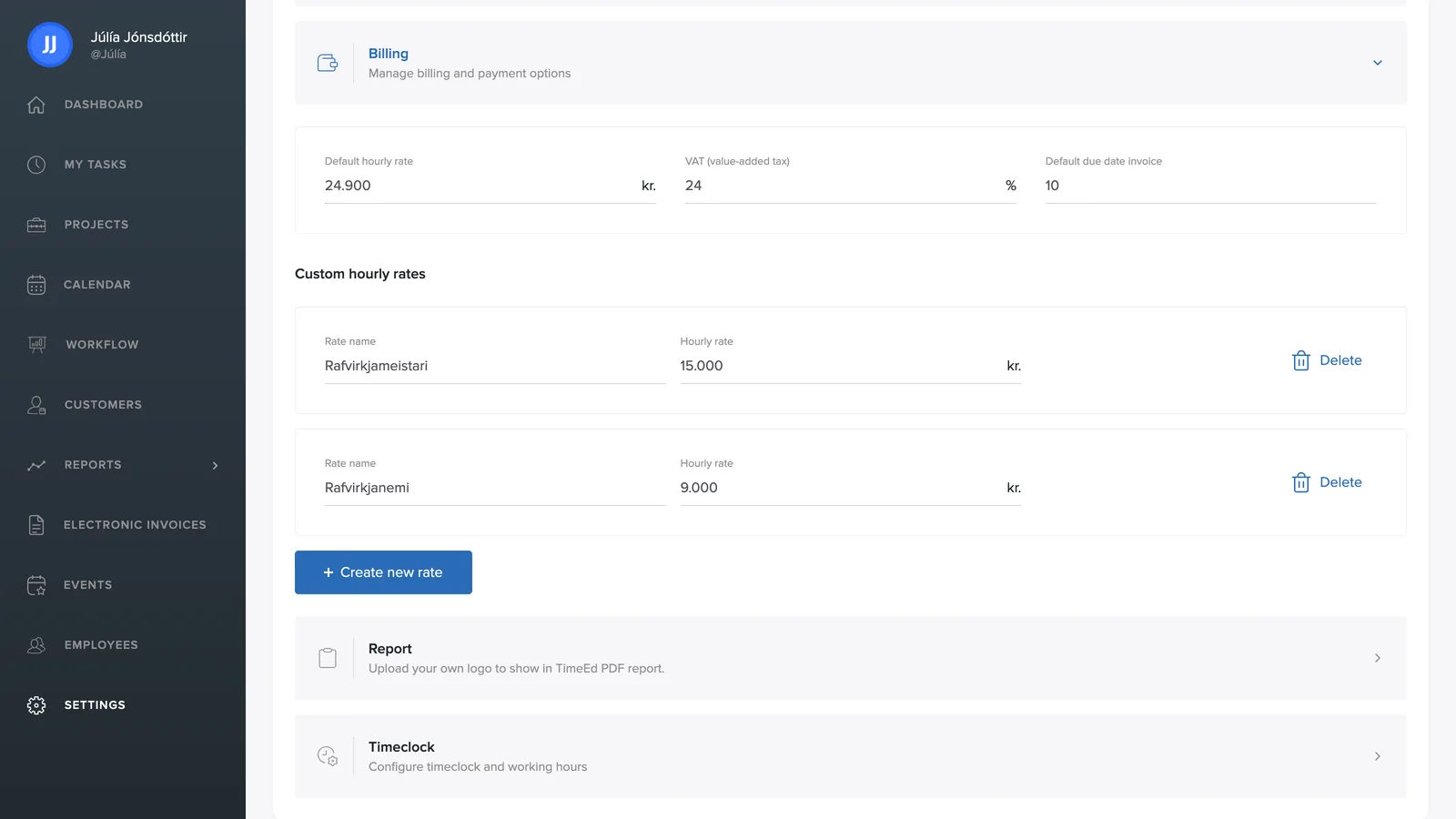
The basic settings
- Default billable rate: the hourly rate in ISK (excl. VAT) that invoice lines are based on.
- VAT (value-added tax): the percentage added on top, e.g. 24%.
- Default invoice final due date: the number of days from the invoice's issue date to its final due date.
Custom hourly rates
With + Create new rate you add more hourly rates, e.g. a higher rate for call-outs or specialist work. A custom rate can then be selected on a project or a task, and it then applies instead of the default rate.
Logo on PDF reports
Under Settings → Report you upload your own logo to appear on TimeEd's PDF reports. The logo must be 320×320 pixels, at 72 ppi, in .jpg, .jpeg, .png or .svg format. More about this in Exports and AI summary.