Labels are colored tags you put on tasks to categorize them: by priority, type, release, or whatever suits your company.
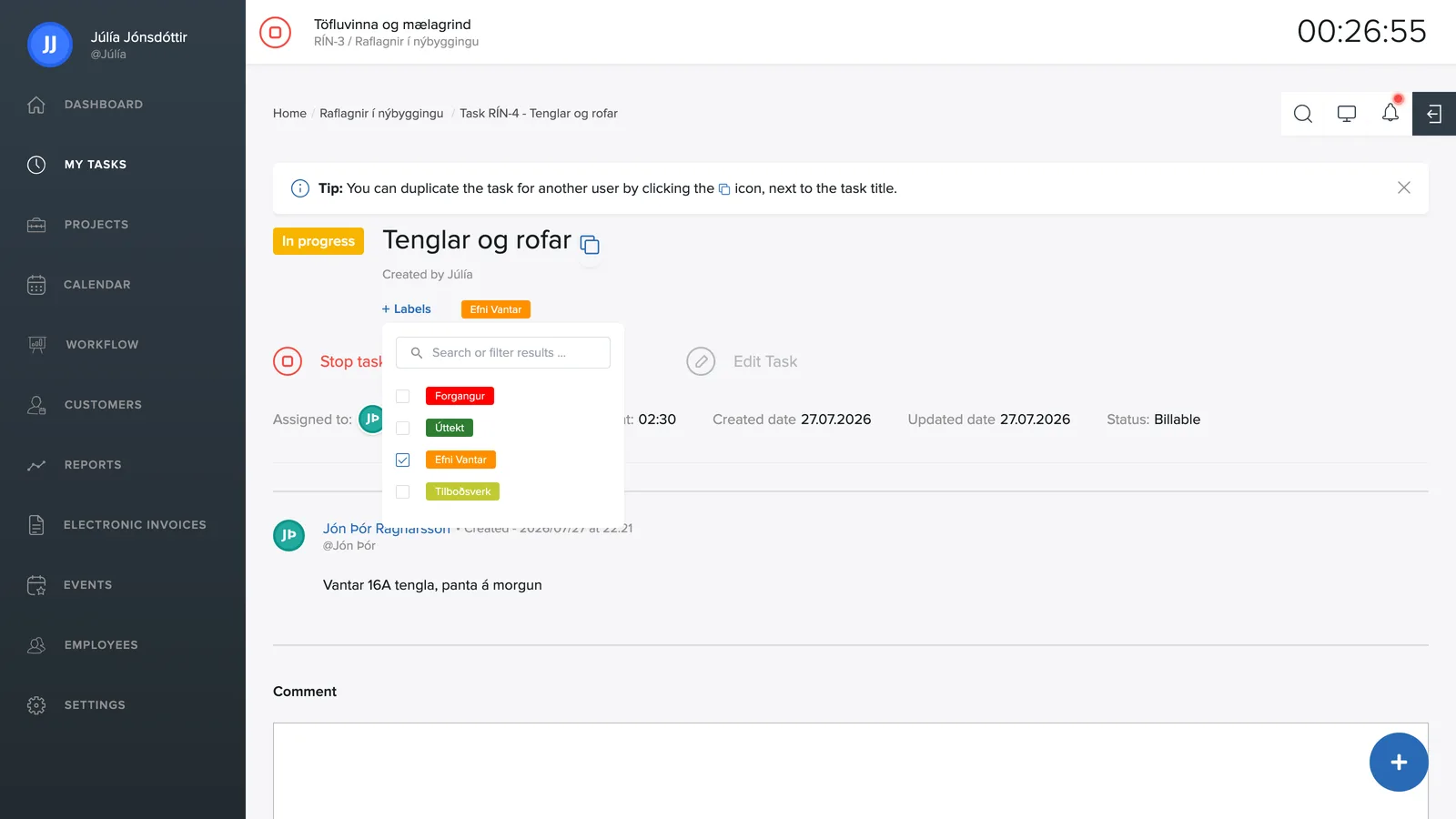
Labeling a task
On the task page, click + Labels and check the labels that apply. A search field sits at the top of the list if you have many labels.
Creating and editing labels
Labels are created under Settings → Labels:
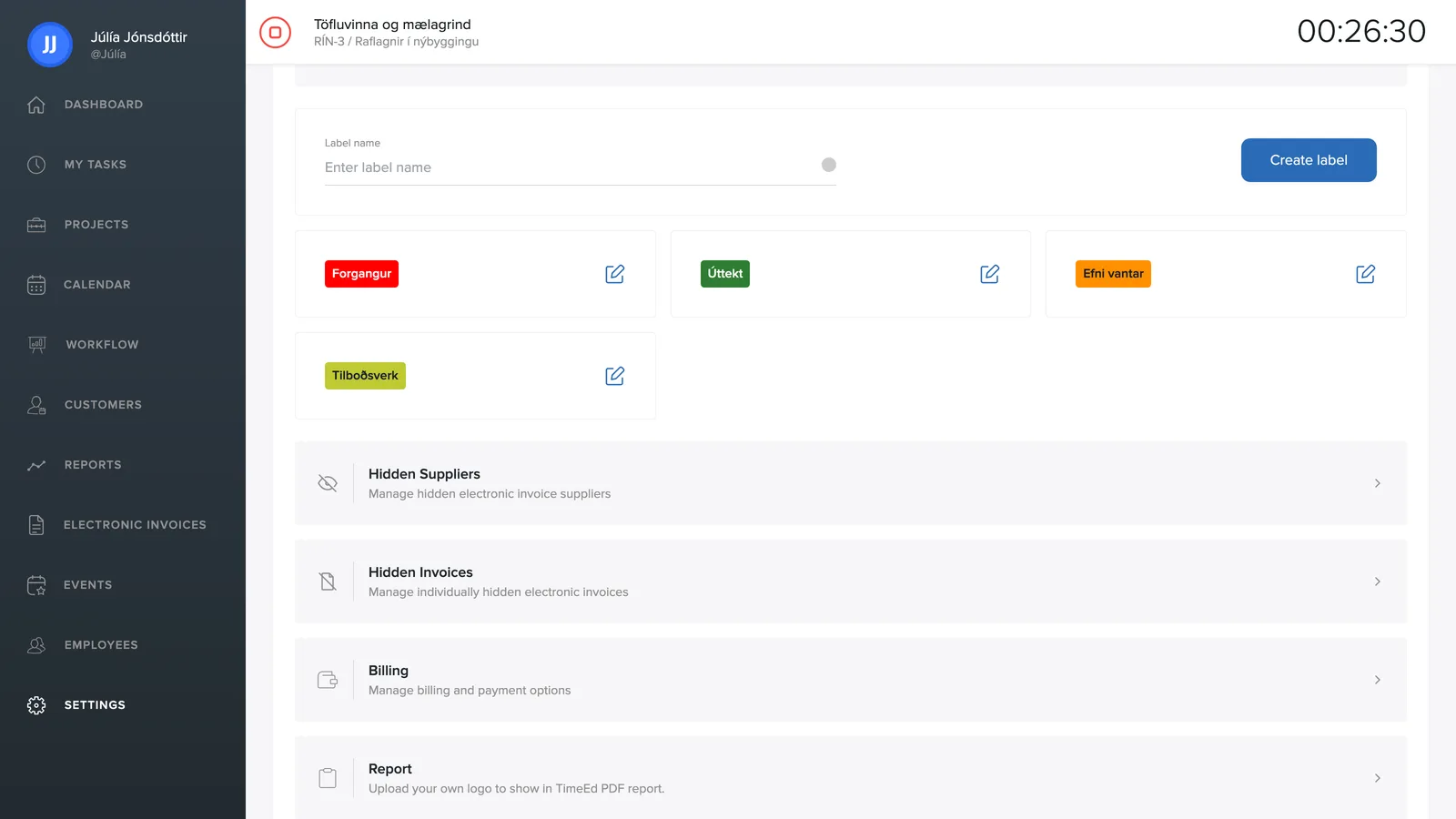
- Enter a label name.
- Pick a color from the palette.
- Click Create label.
The pencil icon next to each label opens it for editing.
Where labels come in handy
Labels appear on tasks in every list and on the cards in the workflow. You can filter by labels in My tasks, in the workflow and in the reports (Other → Labels).