TimeEd connects to the leading accounting systems in Iceland: Payday, DK, Uniconta, H-Laun (H3 laun) and Regla. An integration saves you double entry: the customer directory and product list stay in sync, and invoices go straight from TimeEd into the accounting system. The system also makes sure hours worked are never invoiced twice.
Payday: you create the API key yourself
Payday users can set up the integration on their own:
- Sign in at Payday.is and go to Settings in the left sidebar.
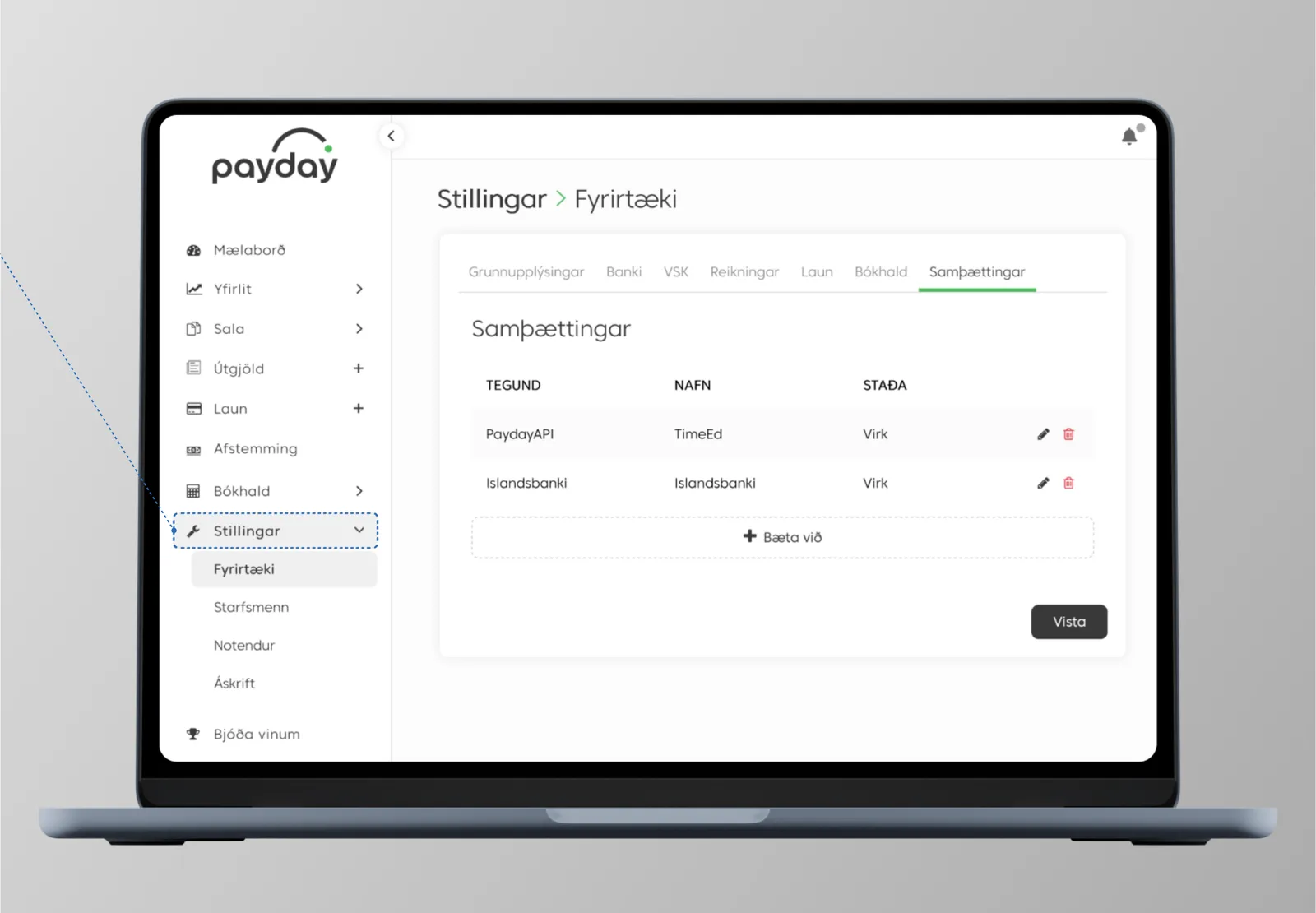
- Choose Company and then the Integrations tab.
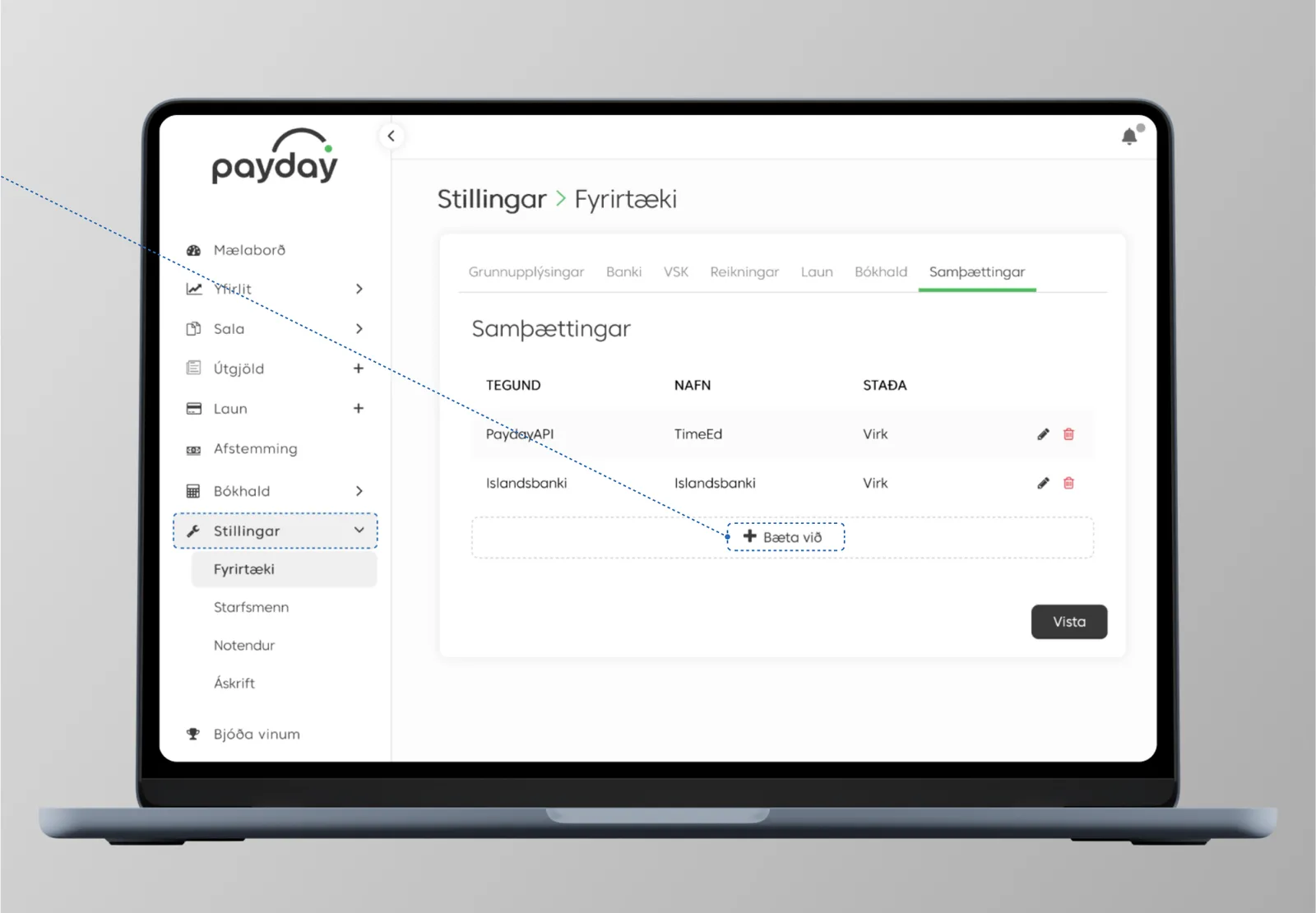
- Click + Add to create a new key.
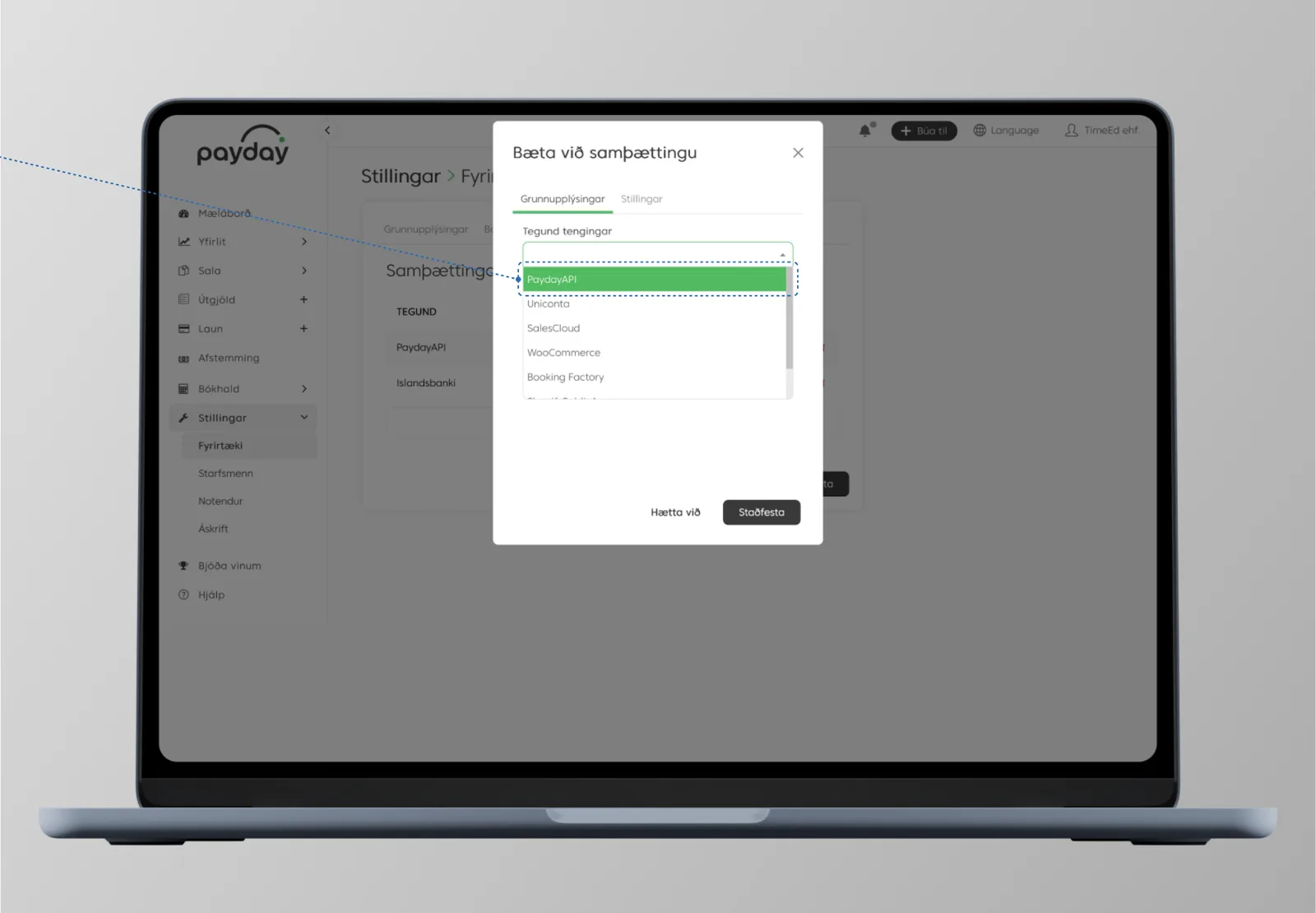
- Choose PaydayAPI as the integration type.
- Give the key a name, e.g. TimeEd, and copy the ClientID and ClientSecret.
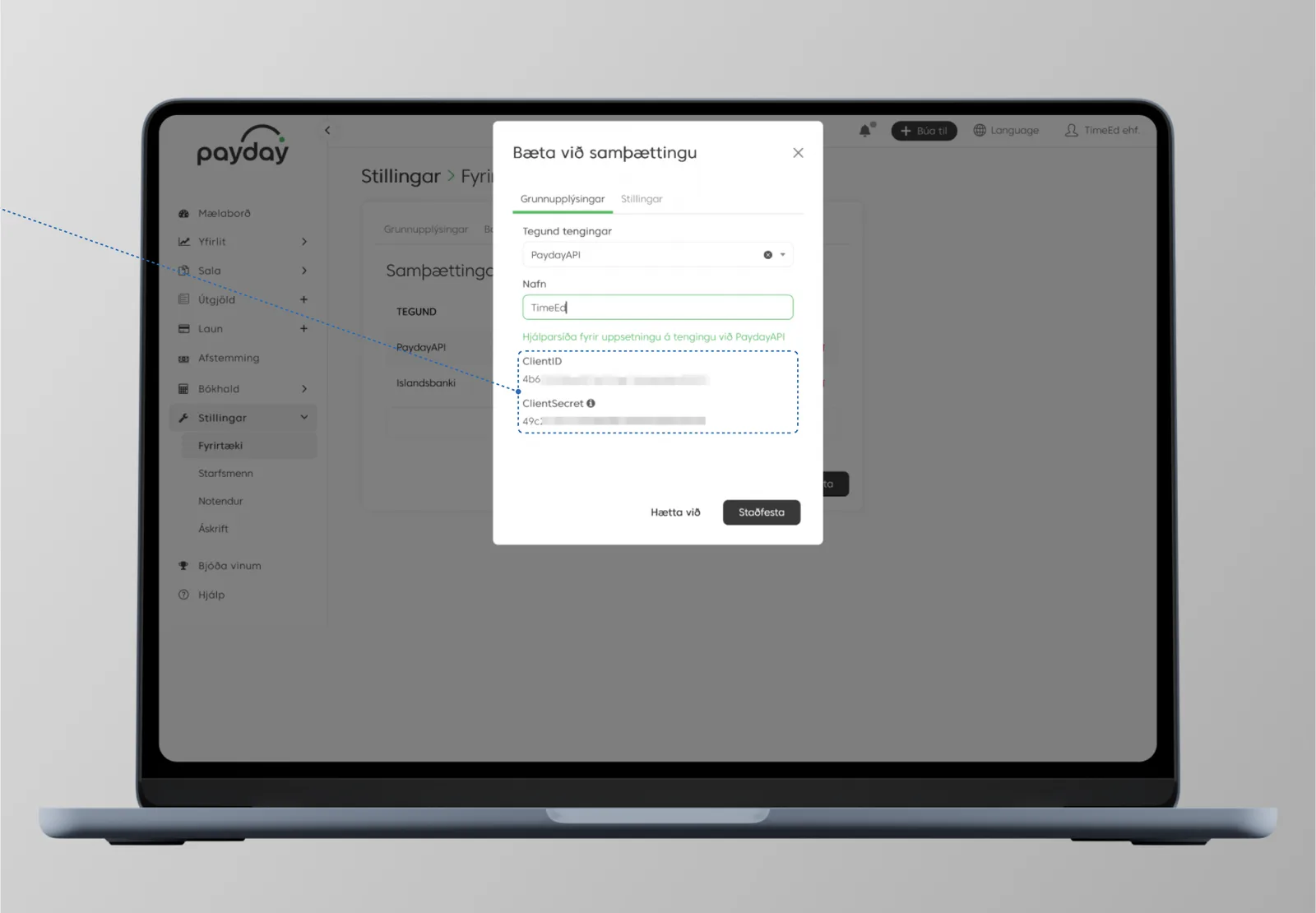
- Send the ClientID and ClientSecret to hjalp@timeed.is and then click Confirm in Payday.
We enter the key on the TimeEd side and let you know when the integration is live.
Treat the ClientID and ClientSecret like passwords: send them only to hjalp@timeed.is and don't leave them lying around.
DK, Uniconta, H-Laun (H3 laun) and Regla
For these systems, TimeEd sets up the integration together with you. Email hjalp@timeed.is with your company's name and which accounting system you use, and we'll get in touch and take care of the setup.
After connecting
- Products appear on tasks (see Products on a task) and carry through to invoices.
- Invoices can be created as drafts in the accounting system instead of being sent directly (the toggle Enable invoice drafts in external accounting systems under Settings → General).
- Clock-in records can be transferred to a payroll system with the Clock-in export toggle (Settings → General).