The task report can be narrowed down and rearranged in many ways until it shows exactly what you need.
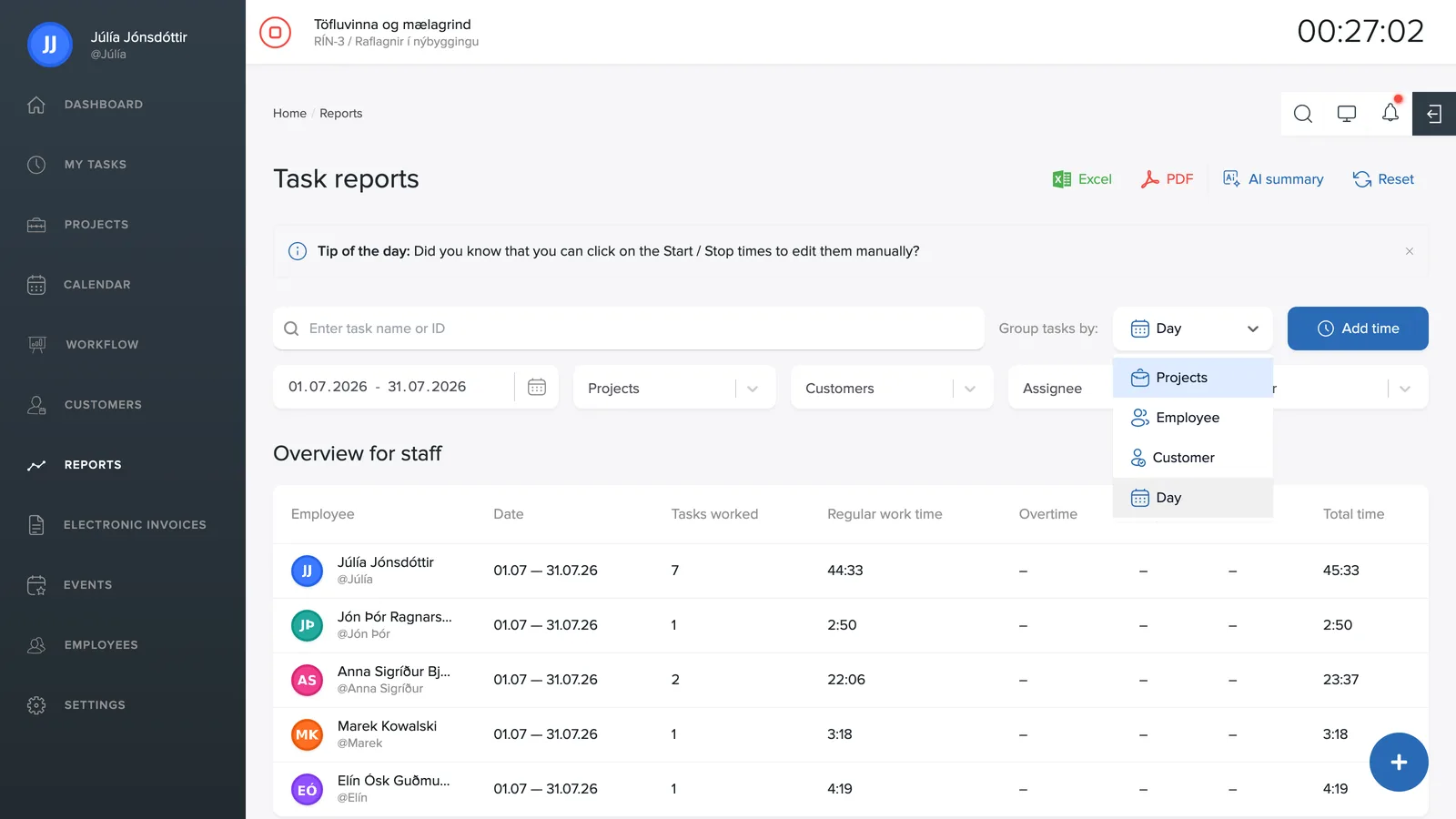
Group tasks by
The Group tasks by dropdown in the top right sorts the report by Project, Employee, Customer or Day. Grouping by day shows each day separately; grouping by project collects all of each project's hours together.
The filters
- Period: pick a date range with the calendar picker on the far left. Click the calendar icon and a quick menu opens, Today, Last 7 days, This month and more, along with a calendar where you pick any range you like.
- Projects: one or more projects.
- Customers: limit the report to specific customers.
- Assigned to: check the employees the report should cover.
- Other: task status (Open, In progress, Done, Billable) and labels.
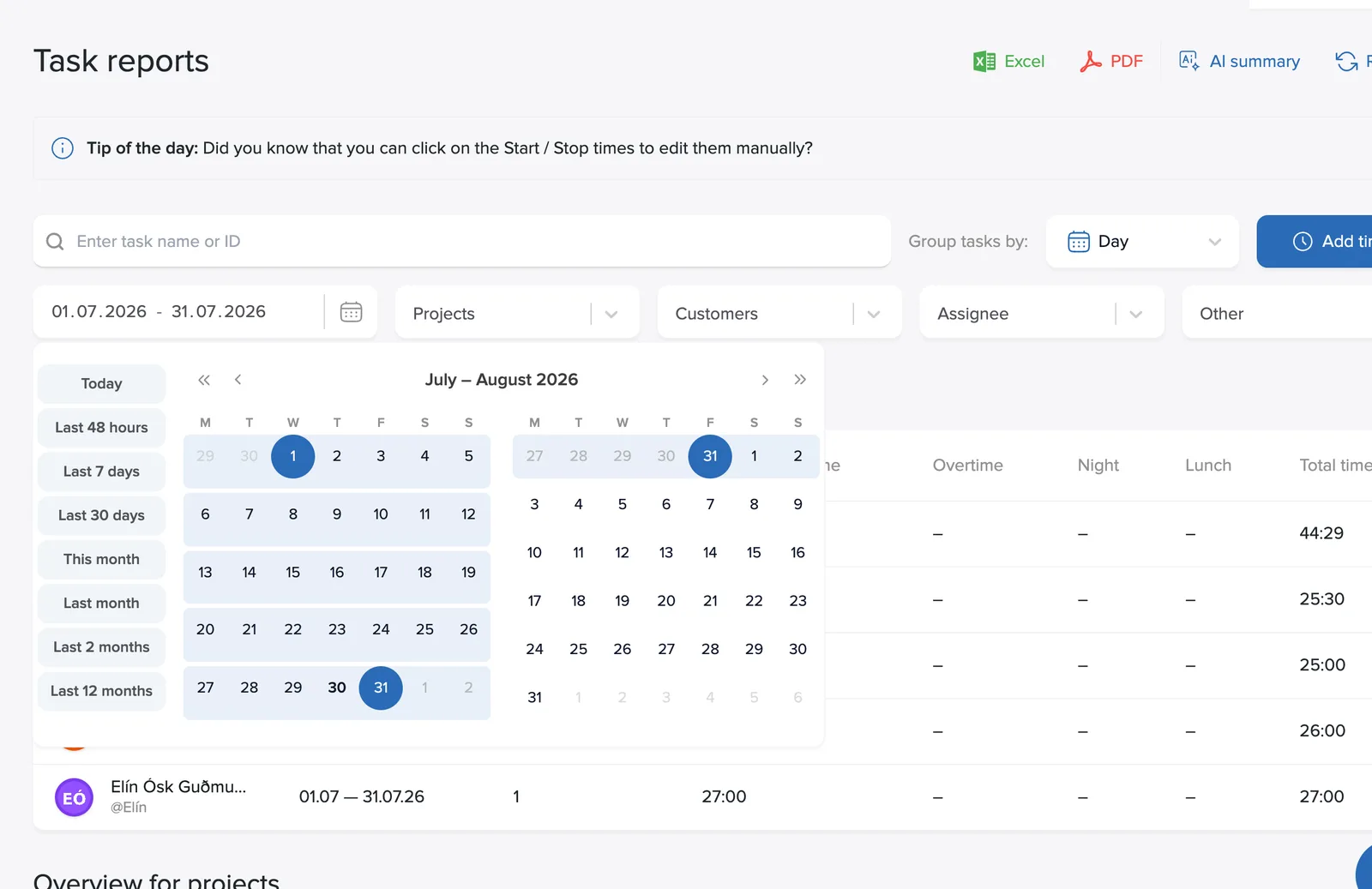
The search field at the top then finds individual tasks by name or task number. Clear resets all filters.