On an employee's page, under the Basic information tab, you'll find all the details about that person.
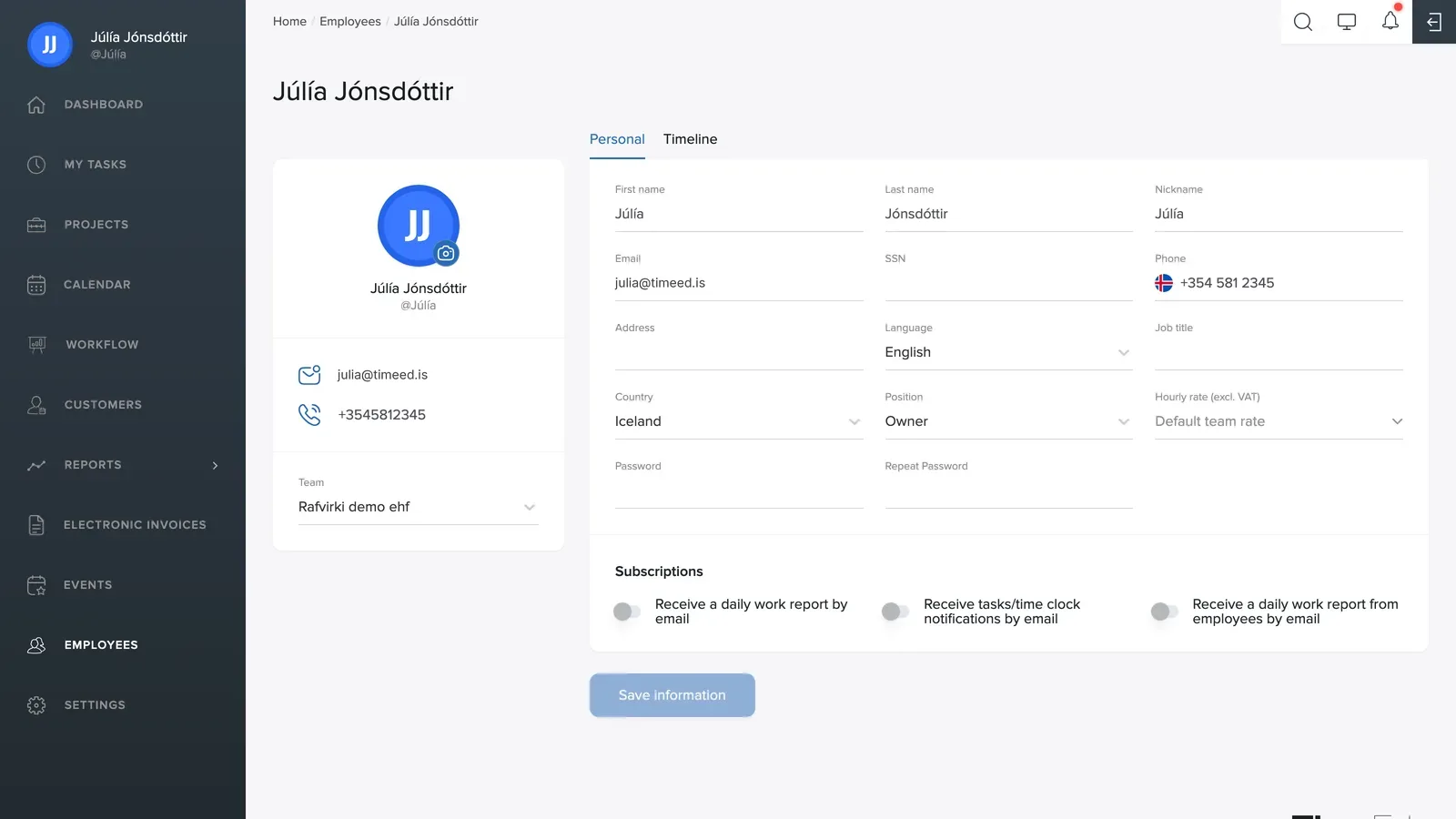
Basic information
First name, last name, nickname (the username with @), email, national ID number, phone, address, country and job title. The camera icon on the avatar changes the picture.
Preferred language
Each user picks their own interface language: Icelandic, English, Estonian, Spanish, Lithuanian, Latvian, Polish, Russian or Ukrainian. The system appears to each person in their own language.
Role and hourly rate
- Role: determines the user's permissions in the system (e.g. Owner).
- Billable rate (excl. VAT): a custom hourly rate for this employee.
- Team: the company the user belongs to. A user who is registered with more than one company can switch between them on their profile.
Password
A new password is set with the Password and Repeat password fields.
Notifications
Three toggles control email notifications: daily report, task/time clock notifications and daily employee report (for managers). Remember to click Save information when you're done.