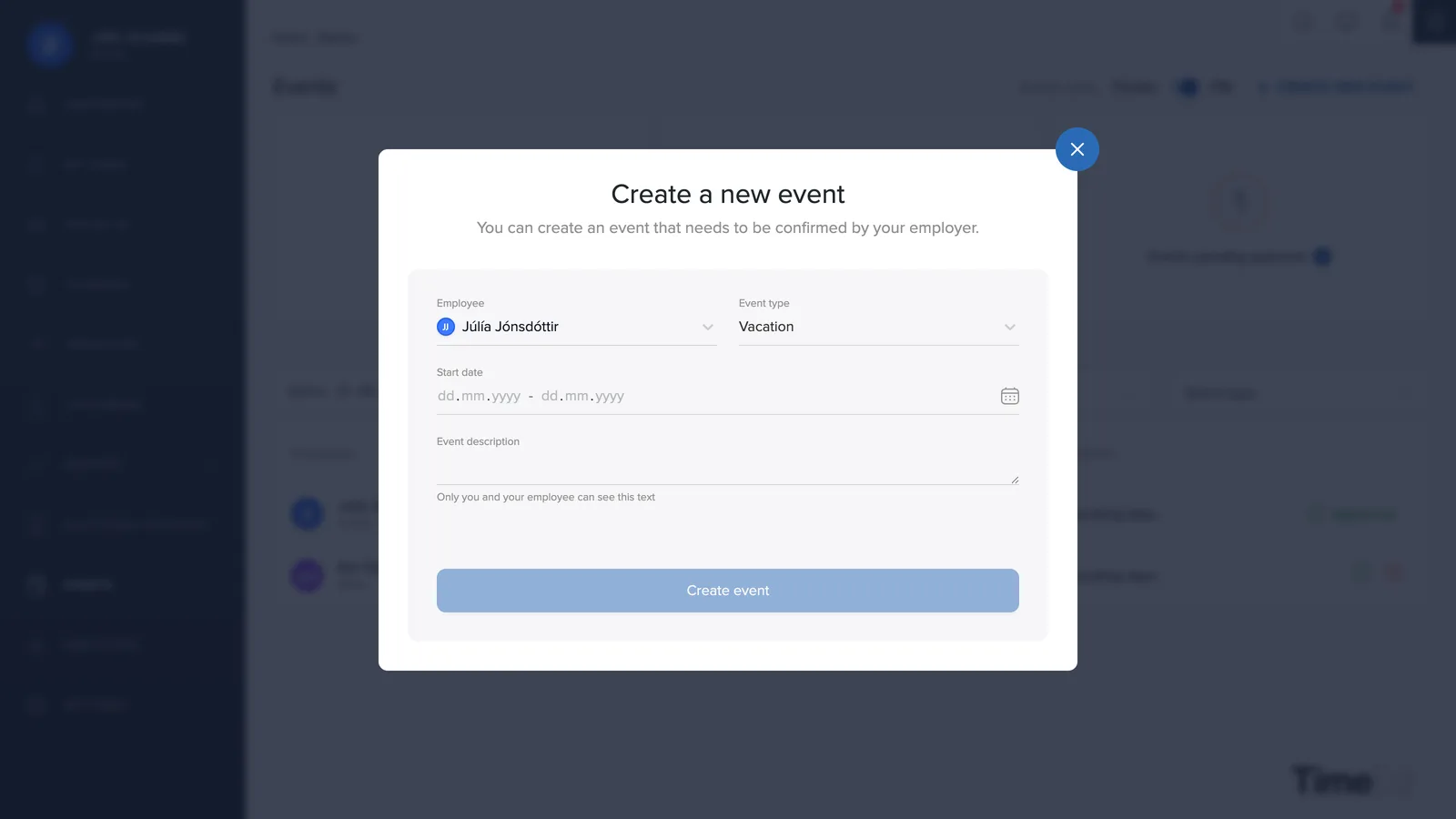
Under Leave you keep track of vacation, sick leave and other absence, your own and the team's.
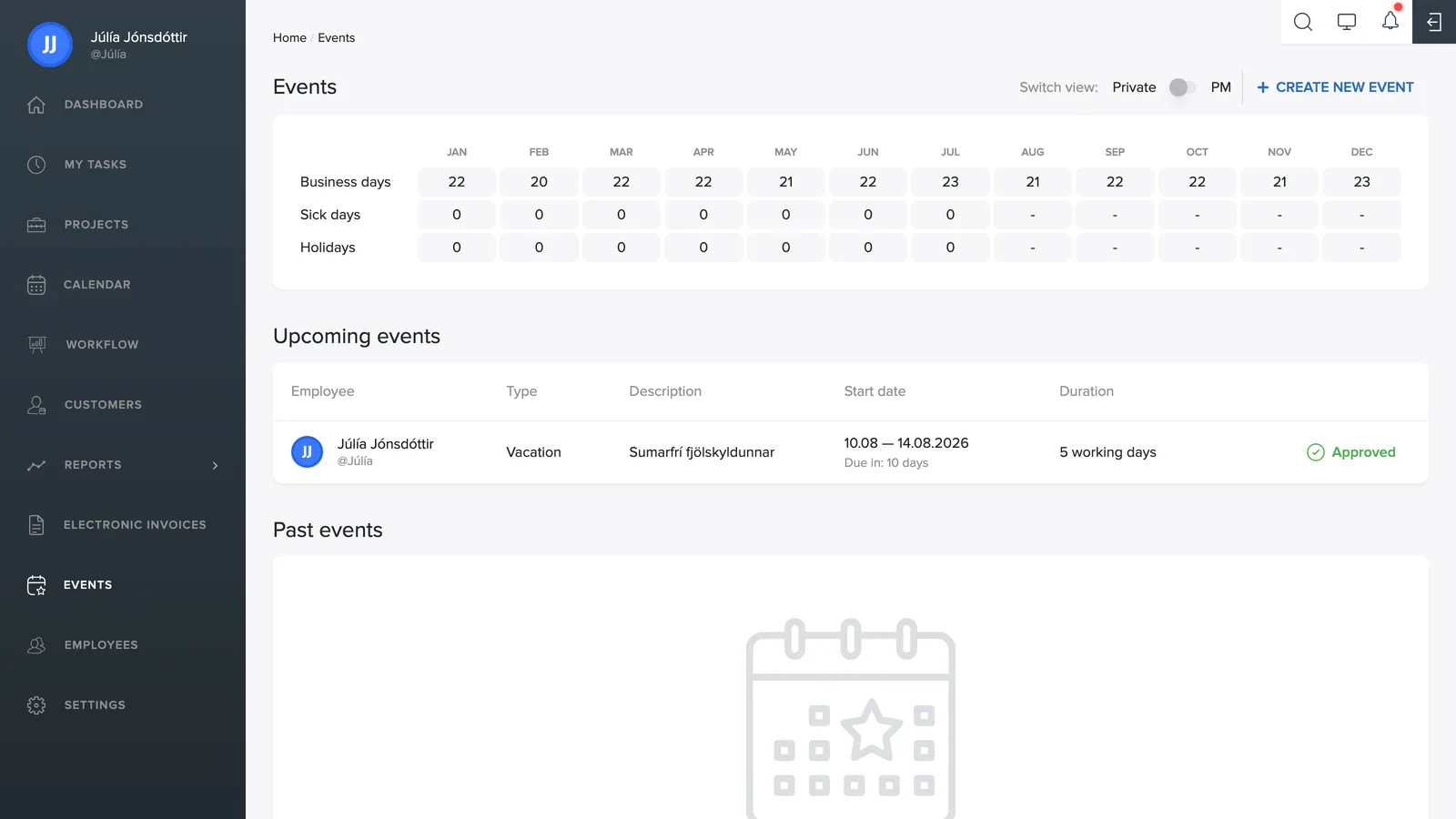
The overview
The table at the top shows each month of the year: the number of working days, sick days and days off. With the Mine / Team toggle in the top right you switch between your own overview and the whole team's.
Events
Absence is logged as an event, e.g. vacation or a sick day. Under Upcoming events you see scheduled events ahead, and under My past events your older entries.
Logging absence
- Click + Create new event in the top right.
- Choose the employee, the type (Vacation or Sick leave) and the date range.
- Add a description if relevant. The description is private: only you and your manager can see the text.
- Click Create event. The request then goes to a project manager or owner for approval. An event that the owner logs themselves is approved automatically.